


Create new ideas fast by combining elements from 3-10 designs. The Mix & Match tool merges silhouettes, textures, closures, and details into completely new concepts for easy ideation and collection development.

Need fast ideas from one design? The Variations by Random tool creates three fresh variations in seconds, adjusting elements like sleeves, buttons, pockets, and proportions. Perfect for quick ideation and refining key items.

Quickly refresh a design by drawing inspiration from another. This tutorial shows how to use the Variations by Reference Image tool to merge textures, colors, and details from a second garment while keeping your base design at the core. Perfect for exploring variations or tightening collection cohesion.

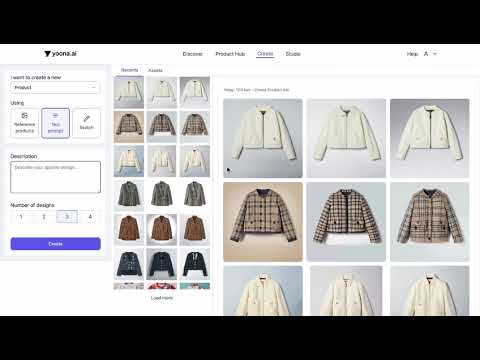
Say it, see it. Turn written prompts into stunning visual designs with AI.

Turn hand-drawn sketches into high-end designs — or reverse-engineer digital designs into editable sketches.

Reverse-engineer your generated renderings into editable technical sketches in seconds with Yoona 4.0.

Need 50 design options by tomorrow? No problem. With the Product Line feature in Yoona 4.0, you can bulk-generate entire collections from just a few inputs.

Now that your workspace is ready, it's time to explore the Product Hub in Yoona 4.0!

Print-on-print never looked this good. Use Maia to mix and match patterns, products, and styles to generate standout designs in your collection.

Colors that sell — fast. Learn how to extract and generate fashion-ready color palettes and instantly swap the colors of your designs in Yoona 4.0.
🎨 Turn any design into a Pantone-matching, commercially viable palette.
💡 Intelligent design starts with smart color.
🔗 Try it now at: www.yoona.ai
#fashion #productmanagement #digitalfashiontools #aiinfashion #yoonaai #aitool #GenerativeAi #designautomation #aidesign #Fashion #aifashiontools #AiClothingGenerator

Make it yours — adjust necklines, sleeves, and other details effortlessly with our Modify Tool.
Use the Yoona 4.0 Avatar Tool to instantly fit your designs to models.

Keep your designs clean and editable with the Background Remover tool in Yoona 4.0

Colors that sell — fast. Learn how to extract and generate fashion-ready color palettes with Yoona 4.0.